
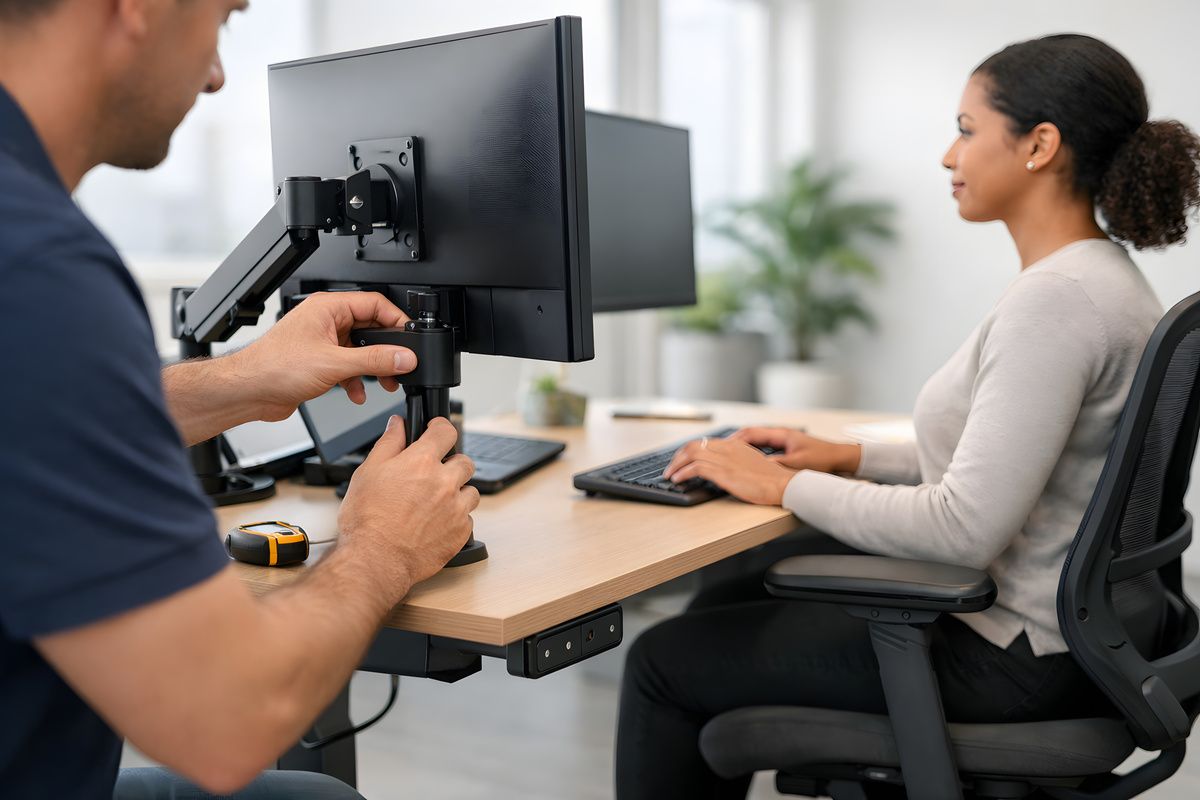
The way a workstation is set up can be the difference between a team that thrives and one that struggles through chronic discomfort, fatigue, and reduced focus. Poorly designed office environments don’t just affect morale; they contribute to musculoskeletal disorders (MSDs), increased absenteeism, and long-term costs that companies often don’t anticipate until the damage is done.
That’s where CRS Moving & Storage comes in. With over 20 years in the commercial relocation and furniture installation industry, CRS has helped thousands of businesses across New York set up workspaces that are built to support people, not just fill a floor plan. Our team handles professional office furniture installation with precision, ensuring every workstation is positioned for maximum comfort, function, and safety.
Why Ergonomics Should Drive Your Workstation Setup
Ergonomics is more than a design trend; it is a science-backed approach to reducing physical strain and improving performance in the workplace. According to the CDC’s National Institute for Occupational Safety and Health (NIOSH), MSDs are among the most common and costly workplace injuries, and effective ergonomics programs are one of the most reliable ways to prevent them. When companies invest in properly configured workstations from the start, they spend less time addressing preventable injuries and more time focusing on productivity.
The connection between physical comfort and output is well-established. Employees who work at properly adjusted chairs, desks, and monitors experience less neck, back, and wrist pain, which translates into fewer sick days and fewer distractions. Organizations that take office space planning seriously from the beginning of a build-out or relocation are better positioned to see those returns quickly.
Seating and Desk Height: Getting the Foundation Right
The chair and desk are the two most critical elements of any ergonomic workstation, and they must work together. Chairs should provide lumbar support and allow employees to sit with their feet flat on the floor and their knees at roughly a 90-degree angle. Desks need to be set at a height that allows forearms to rest parallel to the floor while typing, reducing strain on the shoulders and wrists.
Height-adjustable or sit-stand desks have become increasingly popular, and for good reason. Alternating between sitting and standing throughout the day can help reduce the fatigue and circulatory issues that come with prolonged static postures. When our team installs workstations, we account for these adjustability needs and ensure that furniture is assembled and configured correctly so employees can make those adjustments with ease.
Monitor Placement and Peripheral Setup
Monitor height and distance have a direct impact on posture and eye strain. Screens should be positioned at or just below eye level and placed roughly an arm’s length from the user to minimize forward head posture, which is one of the leading contributors to upper back and neck discomfort. Dual-monitor setups require even more precision in placement to avoid asymmetric strain from constantly turning in one direction.
Keyboards and mice should sit close enough to the body that the arms don’t need to reach, and wrist rests can help maintain neutral positioning during extended typing sessions. These details may seem minor during setup, but they compound into significant ergonomic risks when ignored. Thoughtful furniture installation that accounts for each of these factors is essential to creating a workspace that actually works for employees.
Ergonomic Installation as Part of a Broader Workplace Strategy
Ergonomics doesn’t stop at the individual workstation. The overall layout of an office, including traffic flow, collaboration zones, and storage placement, all affect how employees move through the day and how much unnecessary physical strain they accumulate. A workspace where employees have to constantly reach, twist, or carry items across awkward distances creates cumulative stress that erodes health over time.
Our furniture installation services take the full picture into account. CRS coordinates every aspect of the setup, from the initial layout planning to the final positioning of each workstation. For companies that are also rethinking how their office supports and retains staff, integrating ergonomics into office design for attracting top talent is a strategy with returns that extend well beyond compliance.
The following are key ergonomic factors CRS considers during every furniture installation:
- Chair adjustability: Lumbar support, seat height, and armrest positioning should accommodate a range of body types and sitting preferences
- Desk height configuration: Fixed or adjustable desks are installed to meet the specific functional needs of the team using them
- Monitor and peripheral placement: Screens, keyboards, and accessories are positioned based on user height and task requirements
- Traffic and movement flow: Workstations are arranged to minimize repetitive reaching, bending, or awkward movement throughout the day
Getting these elements right during installation is far more efficient than retrofitting a poorly arranged office after complaints begin to emerge.
Choose CRS Moving & Storage for Your Next Workstation Installation
CRS Moving & Storage has built its reputation on completing office projects on schedule, within budget, and with the level of detail complex environments demand. As a GSA Contract Holder and a member of IFMA, CoreNet Global, and the New York State Movers & Warehousemen’s Association, CRS brings both the credentials and the hands-on experience to handle installations of any scale. With over 5,000 offices moved and more than a million miles driven, we understand what it takes to set up a workplace that functions from day one.
Whether you are building out a new office, reconfiguring an existing one, or relocating entirely, our team is ready to ensure every workstation is installed with employee health in mind. Reach out through our contact form to get started and request your free move plan and logistics session today.